
Skibidi Astro Tower Defense Inventory Guide
Manage your owned units and items in the lobby, choose your match loadout, and clear space when your unit inventory fills up.
Open UNITS to equip up to five units or switch to ITEMS for materials and consumables. To make room for Summon 10, choose spare copies with SELL UNITS and confirm their sale until you have at least 10 empty unit slots.
Owned Units, Items and the Hotbar
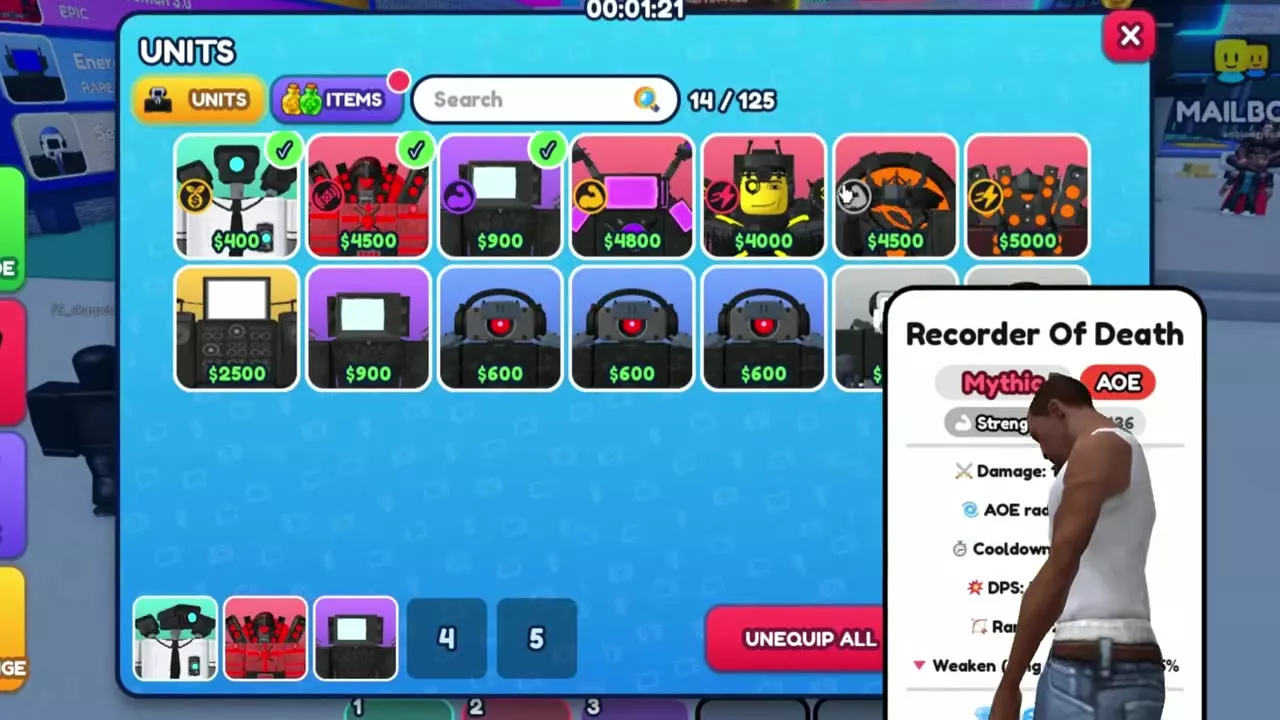
Open UNITS from the lobby’s left menu. The unit counter shows owned copies over total capacity: for example, 4/125 means four units occupy a 125-slot inventory. The base unit inventory holds 125 copies, while the bottom hotbar holds up to five equipped units for a match.
Use the search box to find an owned unit. Hover over a card to inspect its name, rarity, and stats. The dollar amount on the card is its in-match deployment cost.
Select ITEMS to find materials and consumables. Boost cards display their duration and a USE button.
Equip and Unequip Units
- Open UNITS and select an owned unit’s card to equip it.
- Look for the green check on the card and the unit’s icon in the bottom hotbar.
- If all five slots are occupied, select an equipped unit to remove it before adding another.
Use UNEQUIP ALL to clear the whole loadout. Unequipped units remain in your inventory.
Free Ten Slots with Sell Units
Subtract your owned count from your capacity to find your empty slots. At 117/125, you have eight empty slots and need to free two more for a ten-pull.
- If INVENTORY FULL appears, select OPEN UNITS. You can also open UNITS from the lobby.
- Press SELL UNITS and select the spare copies you want to sell. Check the selected count and estimated Gold; use CANCEL to leave selection mode.
- Press SELL, review the unit count and Gold total in the confirmation, then press SELL again to finalize. The sale cannot be undone.
- Check the Sold for notification and return to Summon once you have at least 10 empty unit slots.
The confirmation window gives the Gold total for your selected copies.
Capacity and Summon 10 Checks
Summon 10 requires 10 empty unit slots before the pull, even when Auto Sell is enabled. It also costs 1,000 Gold. Once you have the space and Gold, use the summoning guide to manage your pulls and Auto Sell settings.
For permanent storage expansion, open SHOP → Passes. X2 Inventory costs 79 Robux and doubles a 125-slot unit inventory to 250 slots. Compare its benefit with the other game passes before buying.
Summon, Check Discoveries and Use Items
- Check your collection progress and rewards in the Unit Index.
- Find durations and activation steps for Gold and Luck boosts.
- Browse the unit list and stats when choosing which owned units to bring.