
How to Get Gems in Skibidi Astro Tower Defense
Build your Gem balance by claiming available rewards, clearing challenges, and selling spare units to other players.
Claim available Daily and Playtime rewards, win uncleared Daily or Weekly Challenges, and advance your Normal Index. You can also claim proceeds from Market sales, receive Mailbox gifts, and collect eligible VIP or Endless season rewards.
Start with Rewards and First Clears
- Select Daily at the top of the lobby and collect the available reward. Daily rewards can include Gems.
- Spend time playing and collect unlocked Playtime gifts. The lobby also has a CLAIM! gift shortcut at the lower left. See lobby rewards for the other reward entrances.
- Open Challenge, choose an active Daily or Weekly challenge you have not cleared, and check its unit restrictions. Equip an eligible lineup and win to earn its first-clear Gems and Tokens.
Quick Challenge first clears award Tokens; Quick rotates every 30 minutes. The first-clear bonus applies to your first victory on that challenge, so choose another uncleared challenge for another first-clear payout. See Challenge rewards and Tokens for the full system.
Collect Index, VIP and Season Rewards
Open INDEX → NORMAL and check the reward cards on the right. In the 49-unit Normal Index, discovering 15, 20, 25, and 49 units awards 10, 15, 20, and 30 Gems respectively. Completed cards display DONE. The Unit Index guide covers the other discovery rewards.
If you own VIP and have access to its perks, visit CLAIM VIP PERKS near the AFK Area when your gift is ready. The gift is available every four hours and contains Gems and a random boost. VIP costs 189 Robux; an N/A label in Shop and Passes indicates an age or country restriction that disables most VIP perks.
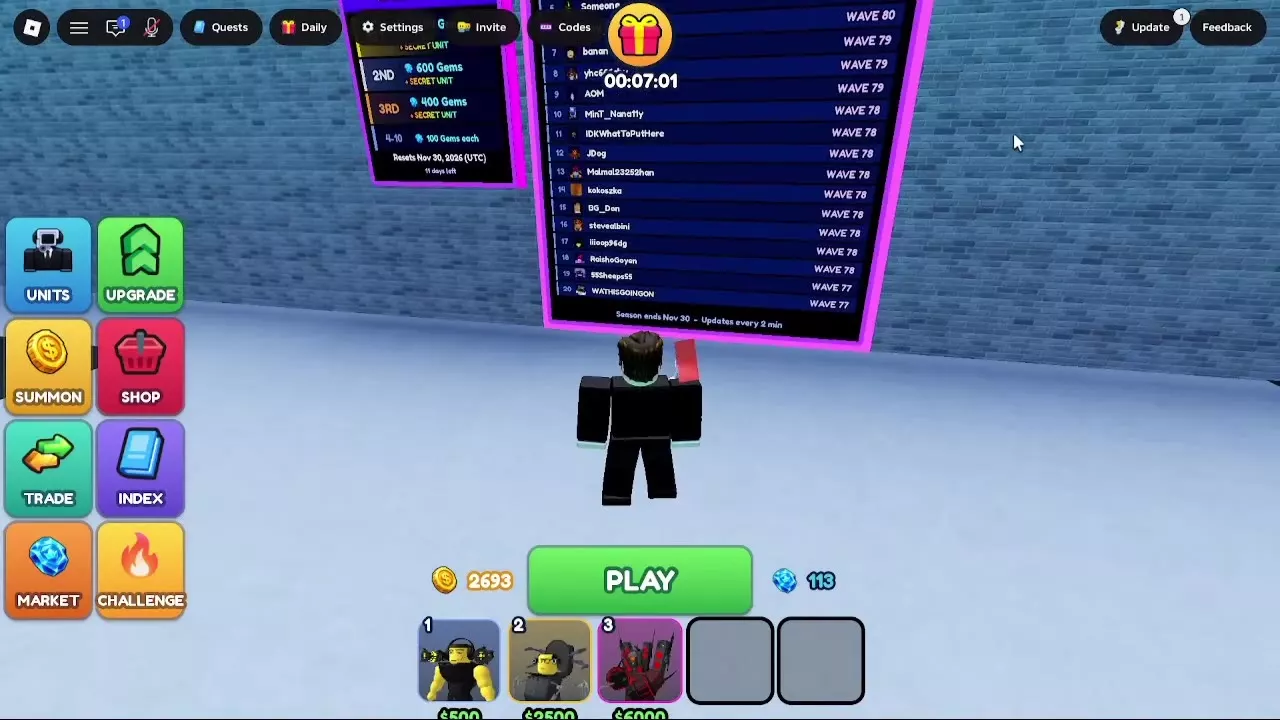
For seasonal rewards, check the prize sign beside the Endless leaderboard and match your rank to its tier. The season ending November 30 listed these rewards:
| Rank | Gems | Extra reward |
|---|---|---|
| 1 | 1,000 | Secret Unit |
| 2 | 600 | Secret Unit |
| 3 | 400 | Secret Unit |
| 4–10 | 100 each | — |
See Endless season rewards for the leaderboard details.
Sell Spare Units or Receive a Gift
- Open Market → Sell and choose an owned spare unit. Compare asking prices for copies with a similar variant and trait before setting your price.
- Account for the seller fee shown in Market. Before rounding, subtract that percentage from the sale price. For example, a 1,000-Gem sale leaves 950 Gems at a 5% fee or 930 Gems at a 7% fee.
- After the unit sells, open My Listings and select Claim to collect the proceeds. Listings last 48 hours. You can cancel an active listing in My Listings to return the unit to your inventory.
The Marketplace guide explains buying, selling, and fees in more detail.
Another player can send you Gems through Mailbox, including while you are offline. Keep gift receiving enabled, then open Mailbox and select Claim All to collect waiting gifts. See Mailbox gifts for sending and receiving options.
Spend Gems on Your Next Upgrade
Choose your purchase based on what your squad needs:
- Market: Buy a named unit directly. For example, a Soundwave Of Hell sold for 690 Gems and a Recorder Of Death for 800 Gems; compare current listings for the copy you want.
- Scientist Crate: Spend 400 Gems when you want a chance at a unit from its pool.
- Injured Crate: The v5.0 crate costs 599 Gems and offers a different unit pool. Compare both crate reward pools before choosing.
- Trait Shards: Spend 90 Gems for 10 shards when you want supplies for trait rerolls.
You can also exchange Gems for Gold through Shop → Currency. To buy Gems with Robux, see the Gem Pack Price List.